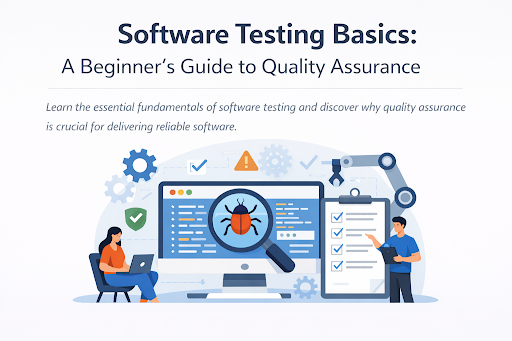
Software Testing Basics: A Complete Beginner’s Guide
In today’s digital world, software powers almost everything—from mobile apps and websites to banking systems and healthcare platforms. But how do we make sure these systems work correctly before users rely on them? That’s where software testing plays a vital role.
If you are new to the field of software development or quality assurance, understanding software testing basics is your first step toward building reliable, secure, and high-quality software. This guide explains the fundamentals in simple terms, helping beginners understand what software testing is, why it matters, and how it works.
What Is Software Testing?
Software testing is the process of evaluating a software application to identify defects and ensure it meets the specified requirements. The main goal is to check whether the software behaves as expected under different conditions.
Instead of waiting for users to find problems, testers verify functionality, performance, and security before release. Testing helps answer key questions such as:
- Does the software work as designed?
- Is it safe to use?
- Can it handle real-world usage?
In short, software testing ensures that a product is stable, usable, and trustworthy.
Why Are Software Testing Basics Important?
Understanding software testing basics is essential for both developers and testers because it helps prevent costly failures after release. A small bug in early development can turn into a major issue if left unchecked.
Key benefits of software testing include:
- Improved quality: Ensures the software meets user expectations
- Early bug detection: Saves time and cost
- Better user experience: Reduces crashes and errors
- Enhanced security: Identifies vulnerabilities
- Reliable performance: Confirms the system works under load
Without proper testing, software can fail in production, damaging brand reputation and user trust.
Types of Software Testing
There are several types of testing used throughout the development lifecycle. Learning these types is an important part of software testing basics.
Functional Testing
Functional testing checks whether the application behaves according to requirements. It validates features like login, search, payment processing, and form submission.
Non-Functional Testing
Non-functional testing focuses on system attributes such as speed, security, and usability. This includes:
- Performance testing
- Load testing
- Security testing
- Usability testing
Manual Testing
Manual testing is performed by humans who execute test cases without automation tools. It is useful for exploratory testing and UI validation.
Automation Testing
Automation testing uses scripts and tools to run test cases automatically. It is best for repetitive tests and regression testing.
Levels of Software Testing
Software testing is conducted in different levels, each with a specific purpose.
Unit Testing
Unit testing verifies individual components or functions of the code. It is usually done by developers.
Integration Testing
Integration testing checks how different modules work together.
System Testing
System testing validates the complete application as a whole.
Acceptance Testing
Acceptance testing ensures the software meets business requirements and is ready for release.
Software Testing Methods
Understanding testing methods is another core part of software testing basics.
Black Box Testing
In black box testing, testers focus on input and output without knowing internal code structure.
White Box Testing
White box testing involves testing internal logic and code paths.
Grey Box Testing
Grey box testing combines both black box and white box approaches.
Software Testing Life Cycle (STLC)
The Software Testing Life Cycle defines the phases involved in testing activities.
- Requirement Analysis: Understanding what needs to be tested
- Test Planning: Creating strategy, tools, and timelines
- Test Case Design: Writing test scenarios
- Test Environment Setup: Preparing hardware and software
- Test Execution: Running test cases
- Defect Reporting: Logging bugs
- Test Closure: Final reporting and evaluation
This structured approach improves testing efficiency and consistency.
Common Software Testing Tools
While learning software testing basics, it helps to know popular tools used by testers:
- Selenium – automation testing
- JMeter – performance testing
- Postman – API testing
- Jira – bug tracking
- TestRail – test management
These tools improve accuracy and reduce manual effort.
Key Principles of Software Testing
Successful testing follows certain core principles:
- Testing shows presence of defects, not their absence
- Exhaustive testing is impossible
- Early testing saves cost
- Defects cluster together
- Testing depends on context
- Absence of errors does not guarantee usability
These principles guide testers in creating effective test strategies.
Challenges in Software Testing
Even with proper planning, testing has challenges:
- Tight project deadlines
- Changing requirements
- Limited test environments
- High complexity of applications
- Integration with multiple systems
Understanding these challenges helps teams plan better and reduce risks.
Career Scope in Software Testing
Learning software testing basics opens doors to strong career opportunities. Popular roles include:
- Manual Tester
- Automation Tester
- QA Analyst
- Performance Tester
- Security Tester
With experience, testers can move into leadership roles such as QA Lead or Test Manager.
Best Practices for Beginners
If you are just starting with software testing basics, follow these tips:
- Learn testing concepts thoroughly
- Practice writing test cases
- Understand SDLC and STLC
- Improve communication skills
- Gain hands-on tool experience
- Focus on real-world scenarios
These habits build strong testing foundations.
Conclusion
Understanding software testing basics is essential for delivering reliable and high-quality applications. Testing is not just about finding bugs—it ensures security, performance, and user satisfaction.
By learning testing types, methods, levels, and tools, beginners can develop the skills needed to enter the QA field confidently. As software continues to grow in complexity, the importance of testing will only increase.
Whether you aim to become a tester or a developer, mastering software testing basics will make you a stronger professional and help you build better digital products.
For More Info Visit:- techtribemag.com